

A restaurant website is no longer just a digital menu. For many customers, it is the first place they decide whether your food, service, atmosphere, and ordering experience are worth their time. Before someone walks in, books a table, calls for catering, or places a takeout order, they often visit your website to answer one simple question: “Is this the restaurant I want right now?”
That decision can happen in seconds. A hungry customer may search for a nearby restaurant, compare photos, scan reviews, open a menu, and decide where to order from before they ever speak to your team. If your website is slow, outdated, difficult to use on mobile, or unclear about online orders, that customer may choose another restaurant.
A strong restaurant website brings together design, speed, local visibility, and simple ordering. It helps customers find you, trust you, and take action without friction.
Quick Answer
- A high-performing restaurant website should be mobile-friendly, fast, visually appealing, and easy to use. It should make the menu, online orders, reservations, phone number, address, hours, and directions simple to find.
- For local visibility, your website should also support local SEO with location-focused content, consistent business information, alignment with your Google Business Profile, structured data, customer reviews, and clear service pages for dining, pickup, delivery, catering, or private events.
- The best restaurant websites do three things well: they make the food appealing, make ordering easy, and make the restaurant easier to find in local search.
Why Restaurant Website Design Matters for Restaurants
Restaurant customers usually visit your website with a clear purpose. They want to see the menu, check prices, place an order, make a reservation, confirm your hours, or find your location. Good design helps them do those things quickly.
When a restaurant website feels easy to use, customers are more likely to stay, explore, and order. When it feels confusing, they often leave.
First Impressions Start Before the First Bite
Food is visual and emotional. Customers want to feel confident before they choose a restaurant, especially if they are ordering for a family, planning a date night, booking a group dinner, or trying somewhere new.
Your website should reflect the experience you want people to expect. A clean design, appetizing food photography, clear branding, and simple navigation all help create trust.
An outdated website can make a restaurant feel less active than it really is. Even if the food is excellent, poor design can create hesitation. A polished restaurant website gives customers confidence that your business is professional, current, and ready to serve them.
Mobile Design Is Essential for Restaurant Customers
Many restaurant searches happen on phones. Someone may be sitting in a car, walking downtown, planning lunch at work, or ordering dinner from the couch. They do not want to pinch, zoom, wait for a heavy menu file, or scroll endlessly to find the order button.
A mobile-friendly restaurant website should place the most important actions near the top of the page. Customers should quickly see options such as “View Menu,” “Order Online,” “Reserve a Table,” “Call Now,” and “Get Directions.”
The easier those actions are to tap, the more useful your website becomes.
Online Orders Depend on a Smooth Experience
Online orders are not just about having a button on the website. The entire experience has to feel simple and trustworthy.
Customers want to know what they are ordering, what it costs, how long it may take, whether pickup or delivery is available, and whether the checkout process is secure. If the ordering experience feels clunky, confusing, or disconnected from the website, customers may abandon the order.
A good restaurant website reduces that friction by making the path from menu to checkout feel clear from start to finish.
Essential Features of a High-Converting Restaurant Website
A restaurant website should look good, but design should always support action. Every section should help customers make a decision or complete a task.
The most effective websites are built around real customer behavior. They answer practical questions, reduce uncertainty, and make it easy for visitors to become paying customers.
A Clear, Mobile-Friendly Menu
Your menu is one of the most important pages on your website. It should be easy to scan, easy to update, and easy to use on mobile.
Many restaurants still rely only on PDF menus. A PDF can be useful as a backup, but it should not be the only way customers view your food. A web-based menu is easier to read on phones and gives search engines more context about your dishes, cuisine, and offerings.
A strong menu page should include categories, item names, descriptions, prices, modifiers, dietary notes, and clear ordering options. If you offer vegetarian, vegan, gluten-free, halal, spicy, or family-size options, make those details visible. These small signals help customers choose faster.
Prominent Online Ordering Options
If online orders are a priority, your order button should not be hidden in the navigation menu. It should appear naturally throughout the website, especially on the homepage, menu page, location page, and mobile header.
The wording should be clear. “Order Online,” “Order Pickup,” and “Order Delivery” are stronger than vague labels like “Start Now” or “Submit.” Customers should know exactly what will happen when they click.
Restaurants should also make sure their website ordering links match the ordering options shown on their Google Business Profile. Google’s online ordering options guidance explains how restaurants can manage provider links and set preferred pickup or delivery options.
Accurate Hours, Location, and Contact Details
Few things frustrate customers more than outdated restaurant information. Your website should clearly show your address, phone number, hours, holiday schedule, parking details, delivery area, and service options.
If your restaurant has multiple locations, each location should have its own page. A dedicated location page can include the address, hours, phone number, map, local menu details, parking information, nearby landmarks, and location-specific ordering links.
This helps customers choose the right location and gives search engines clearer local information.
Photos That Sell the Experience Without Slowing the Site
Great food photography can increase interest, but large unoptimized images can slow your website down. Restaurants need both visual appeal and speed.
Use high-quality photos of your best dishes, dining area, staff, takeout packaging, catering setup, and exterior signage. Then make sure those images are compressed and properly sized for the web.
Google’s Core Web Vitals documentation explains that site experience is measured through loading performance, interactivity, and visual stability. For restaurants, that matters because a slow-loading gallery or menu page can cause hungry customers to leave before they order.

How a Restaurant Website Improves Local Visibility
A beautiful website is only valuable if customers can find it. That is where local visibility becomes essential.
Restaurant searches are often location-based. Customers search for phrases like “best restaurant near me,” “Thai food in Toronto,” “pizza delivery near downtown,” or “brunch restaurant open now.” Your website should help search engines understand where you are, what you serve, and why local customers should choose you.
Use Local Keywords Naturally
Local keywords help connect your restaurant with nearby searches. These keywords should describe your cuisine, service type, and location in a way that feels natural.
For example, a restaurant may use phrases such as “Italian restaurant in Mississauga,” “family dining in London Ontario,” “Indian takeout in Scarborough,” or “catering for corporate events in Toronto.”
These phrases can appear in homepage copy, menu descriptions, page titles, headings, location pages, FAQs, and blog content. The key is to keep the writing useful. Keyword stuffing makes the content harder to read and can weaken the customer experience.
Align Your Website With Google Business Profile
Your website and Google Business Profile should show the same business information. That includes your name, address, phone number, hours, website link, ordering link, reservation link, menu link, and service options.
Google’s restaurant Business Profile guidance explains that restaurants can manage online food orders, reservations, menus, and provider links through their profile. When those details match your website, customers are less likely to run into confusion.
Consistency builds trust. If your website says you close at 10 p.m. but your Google listing says 9 p.m., customers may hesitate. If your website points to one ordering system and your Google profile points to another, customers may get confused or order through a provider you do not prefer.
Add Restaurant Structured Data
Structured data helps search engines better understand your restaurant information. Google’s Local Business structured data documentation explains how businesses can provide details such as business hours, departments, reviews, and other local information.
For restaurants, structured data can help clarify your name, address, phone number, cuisine, price range, menu URL, opening hours, and reservation options. It does not replace strong website content, but it gives search engines more organized information about your business.
Build Pages for Specific Customer Needs
Many restaurant websites only have a homepage, menu page, and contact page. That may be enough for a very simple site, but many restaurants can benefit from more specific pages.
Depending on your business, useful pages may include catering, private events, online ordering, delivery areas, lunch specials, happy hour, reservations, franchise locations, gift cards, or dietary options.
These pages serve customers and improve local search relevance. A catering page, for example, can answer questions about group sizes, menu packages, delivery radius, pricing, notice periods, and booking steps. That makes it easier for customers to inquire and easier for search engines to match your page with catering-related searches.
Turning Website Visitors Into Online Orders
Traffic alone does not grow revenue. Your website needs to convert visitors into customers.
For restaurants, conversions may include online orders, phone calls, reservations, catering inquiries, newsletter signups, gift card purchases, or direction requests. The design should guide customers toward these actions naturally.
Reduce the Number of Steps
The path from menu to checkout should be short. Customers should not have to visit several pages just to start an order.
Place ordering buttons close to menu sections. Use sticky mobile buttons when appropriate. Make pickup and delivery options clear. Show whether customers are leaving your website for a third-party platform. Keep cart and checkout details easy to understand.
Every unnecessary step creates a chance for the customer to drop off.
Feature Popular Items and Specials
Not every customer knows what to order. Highlighting popular dishes, chef recommendations, combo meals, family bundles, seasonal specials, or limited-time offers can help people decide faster.
This also gives you a chance to promote high-margin items or signature dishes. Simple labels such as “Customer Favourite,” “Best Seller,” “Great for Sharing,” or “Popular for Takeout” can guide choices without making the menu feel pushy.
Match Calls to Action With Customer Intent
Different customers visit your website for different reasons. One person wants dinner delivered. Another wants to reserve a table. Another is planning catering for an office lunch.
Your website should support each of these paths.
| Customer intent | Website feature that helps |
| Wants food now | Sticky “Order Online” button |
| Comparing dishes | Clear mobile-friendly menu |
| Planning dine-in | Reservation button and hours |
| Needs directions | Address, map, and parking details |
| Planning an event | Catering or private events page |
| Checking trust | Reviews, photos, and updated information |
When each action is easy to find, your restaurant website becomes a working sales tool instead of a static brochure.
Where Web Design and Local SEO Work Together
Restaurant website design and local SEO should not be treated as separate projects. They support the same customer journey.
A customer may discover your restaurant on Google, open your website, view the menu, check photos, read location details, and place an order within minutes. If any part of that journey feels unclear, you may lose the sale.
A Better Website Supports More Customer Actions
A good web design and development service focuses on responsive, brand-aligned websites built for user experience, content, speed, and search visibility. For restaurants, that kind of foundation can make the difference between a website that simply exists and a website that actively supports orders, reservations, and inquiries.
A better restaurant website should also make updates easier. Menus, prices, photos, hours, seasonal specials, and ordering links change often. When the site is hard to update, outdated information can hurt customer trust.
Local SEO Helps Nearby Diners Find You
Local visibility matters just as much as design. A restaurant website should help nearby customers find the business when they search for places to eat, order from, or visit in their area.
This is really important for restaurants competing in map results, “near me” searches, and cuisine-specific local searches. The goal is not only to rank for broad terms, but to appear when nearby customers are ready to order, reserve, or visit.
For restaurants that need support beyond the website, Freelancers Hub provides local SEO and restaurant digital marketing services to improve online visibility, attract nearby diners, and drive more customer actions across search, ads, and digital strategy.
A helpful first step is to review your restaurant website as if you were a new customer. Search for your restaurant category in your area, open your website on a phone, try to view the menu, place an order, find the address, and check your hours. Any moment that feels slow, confusing, or outdated is an opportunity to improve.
Common Restaurant Website Mistakes to Avoid
Even good restaurants lose online orders because of small website issues. These problems are easy to overlook when you already know your own business, but they can be frustrating for first-time visitors.
A better website often starts by removing friction.
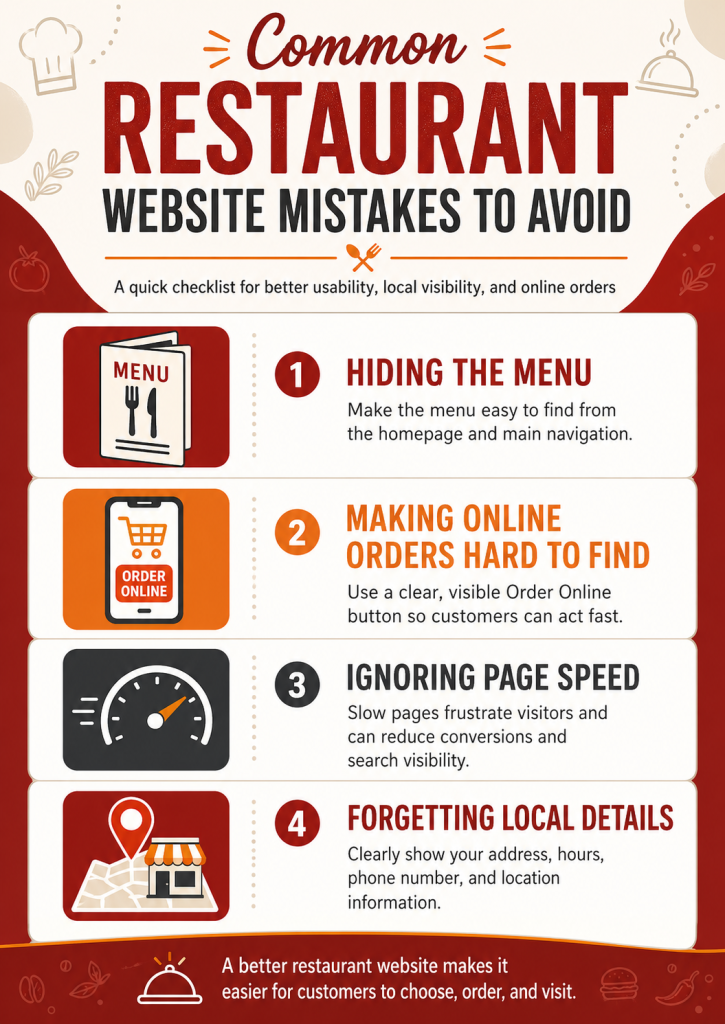
Hiding the Menu
Customers should not have to search for the menu. It should be one of the clearest links in the main navigation and should be visible on the homepage.
If your menu is only available as a hard-to-read PDF, consider building a proper web menu. This improves usability and gives you more flexibility for updates.
Making Online Orders Hard to Find
If online orders matter to your business, the order button should be obvious on both desktop and mobile. Do not hide it in a footer, a dropdown, or a third-party widget that loads slowly.
The order path should feel direct, trustworthy, and easy to follow.
Ignoring Page Speed
A visually impressive restaurant website can still perform poorly if it loads too slowly. Heavy images, unnecessary animations, outdated plugins, and bloated themes can all affect performance.
Speed matters because customers often make restaurant decisions quickly. A slow website gives them a reason to choose someone else.
Forgetting Local Details
Restaurants need clear local signals. Your city, neighborhood, address, landmarks, delivery area, and nearby service areas should be easy to understand.
This is especially important for restaurants in competitive markets where customers compare several nearby options before deciding.
FAQs
Restaurant owners often have similar questions when improving their websites. These answers focus on practical changes that can improve customer experience, local visibility, and online orders.
A restaurant website should include a mobile-friendly menu, online ordering option, reservation button if available, phone number, address, hours, directions, photos, reviews, location details, and clear calls to action. It should also include local SEO basics such as optimized headings, local keywords, consistent business information, and structured data.
A PDF menu can be helpful as an extra option, but it should not be the only menu format. A web-based menu is easier to read on mobile, easier to update, and easier for search engines to understand. Restaurants that want more online orders should make their main menu simple to browse directly on the website.
A restaurant website can increase online orders by making the order button visible, simplifying the menu-to-checkout journey, improving mobile speed, showing clear prices and descriptions, featuring popular items, and aligning website ordering links with Google Business Profile ordering options.
Local SEO helps restaurants appear when nearby customers search for food, dining, takeout, delivery, catering, or specific cuisines. It improves visibility through Google Business Profile optimization, location-focused website content, reviews, citations, local keywords, and consistent business information.
Restaurants should update their websites whenever menus, prices, hours, photos, ordering links, specials, or service options change. A deeper review once or twice a year can help ensure the website still looks current, loads quickly, works well on mobile, and supports customer expectations.
Conclusion
A restaurant website should make it easy for people to choose you. It should show your food clearly, answer common questions, support online orders, and help nearby customers find your business through local search.
The strongest restaurant websites combine design, usability, speed, ordering convenience, and local SEO. They work well on mobile, guide customers toward the next step, and keep business information accurate across every important touchpoint.For restaurants that rely on local customers, repeat orders, and strong first impressions, a well-built website is more than an online presence. It is a direct path from search to order, reservation, call, or visit. Want our assistance? Book a free consultation today and watch your restaurant brand grow from local to online!
