

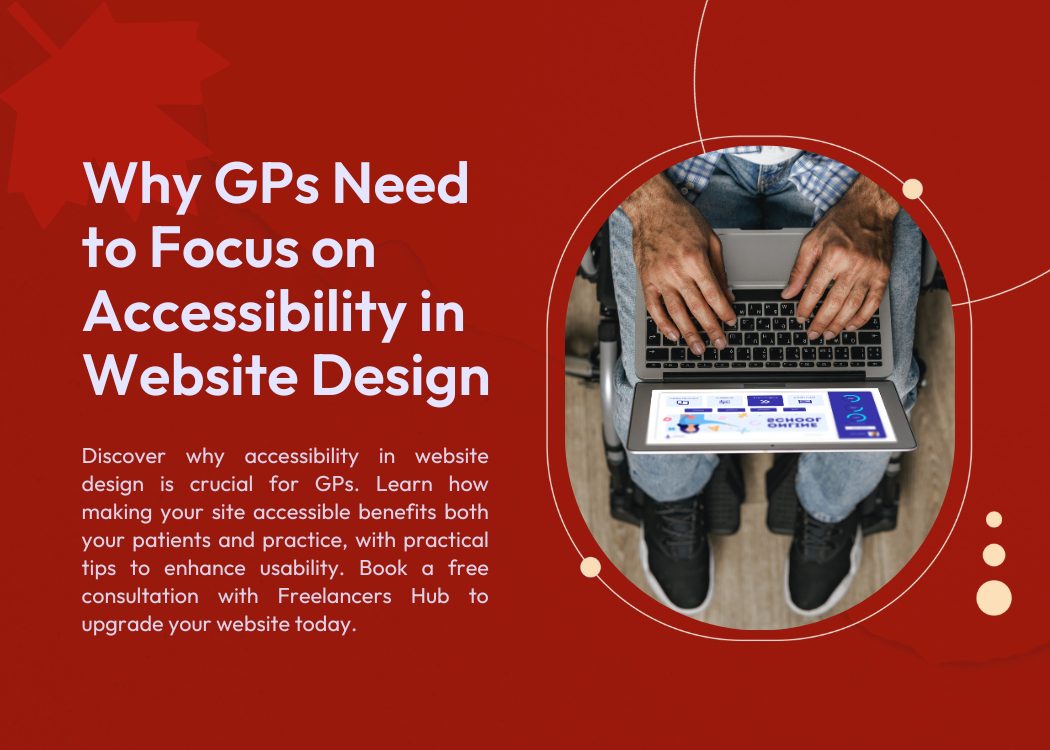
Your website is often the first point of contact between you, as a General Practitioner (GP), and your current or potential patients. It’s not just a virtual business card; it’s an essential tool that reflects your professionalism, care philosophy, and commitment to patient well-being. But beyond aesthetics and basic functionality, one crucial aspect that many GPs overlook is accessibility — ensuring that your website is usable by everyone, regardless of their physical abilities or technological limitations.
Accessibility in website design isn’t just a trendy buzzword or a legal checkbox anymore. It’s a fundamental part of patient care and engagement. For GPs, focusing on accessibility is about inclusivity and empathy—making sure no patient feels excluded or disadvantaged because of barriers in navigating your online services.
In this blog, we’ll unpack why accessibility should be a priority for GPs, how it impacts patient experience, and what you can do to make your website truly accessible.
What is Accessibility in Website Design?
At its core, website accessibility means designing and developing your website so that it can be used by everyone, including people with disabilities. Disabilities can be visual, auditory, motor, or cognitive. For example, someone who is blind might use a screen reader to navigate your site, while a person with motor impairments may rely on keyboard-only navigation.
Accessible web design involves implementing features and best practices that remove barriers. These include clear text alternatives for images (alt text), keyboard navigability, proper color contrast for readability, simple and logical navigation, and the avoidance of content that flashes or moves in a way that can trigger seizures.
Accessibility also addresses issues like providing transcripts for videos, ensuring forms are easy to fill, and using language that’s easy to understand for people with cognitive disabilities or limited literacy. It’s about making the web equitable, so all users can get the information or services they need without frustration or exclusion.
Why Accessibility Matters for GPs
The healthcare field is rooted in compassion and inclusivity. Yet, if your website isn’t accessible, you risk alienating a significant portion of your patient base and those who may need your care the most.
1. Diverse Patient Demographics:
GPs serve a wide range of patients—from elderly individuals with deteriorating vision or hearing to younger patients with disabilities or temporary impairments (like recovering from surgery or injury). An accessible website ensures that everyone can book appointments, find health information, and contact you without obstacles.
2. Legal and Ethical Responsibility:
Many countries have legal requirements regarding website accessibility, particularly for healthcare providers. Non-compliance could lead to legal repercussions and damage to your professional reputation. More importantly, it’s an ethical responsibility. You want to ensure that your services are not only available in your office but also online to all who need them.
3. Enhancing Patient Experience:
Patients are more likely to trust and engage with a healthcare provider whose online presence is clear, welcoming, and easy to navigate. Accessibility features improve the overall user experience, reducing frustration and improving satisfaction. When patients can quickly and effortlessly find what they need, from test results to advice, they feel cared for—even before they set foot in your clinic.
4. Expanding Reach and Inclusivity:
Accessible websites are not just for people with permanent disabilities. They benefit users with temporary impairments, older adults, people in low-bandwidth areas, or those using different devices and browsers. This inclusivity increases your website traffic and potential patient base.
The Role of Navigation in Accessible Web Design
If your website’s navigation is complicated, inconsistent, or unclear, it will be challenging for many users—especially those relying on screen readers or keyboard navigation. For GPs, navigation should be a priority because it directs patients through your services, appointment bookings, FAQs, and contact information.
Good accessible navigation includes:
- Logical and consistent menus
- Clear labels and headings
- Keyboard-friendly navigation (no reliance on mouse clicks alone)
- Avoiding overly complex dropdowns or hover menus that screen readers can’t interpret
- Providing a sitemap or navigation shortcuts for quick access
Navigation is the backbone of usability. When done right, it empowers users to find what they need without guessing or frustration. For patients with cognitive impairments or who are not tech-savvy, simple and predictable navigation can be a lifeline.
Benefits of Accessible Design for GPs and Their Patients
Embracing accessibility offers a win-win scenario for both your practice and your patients.
Improved Patient Engagement:
Patients are more likely to use your website if they feel it caters to their needs. This means more appointment bookings, higher participation in health programs, and better communication overall.
Better Search Engine Optimization (SEO):
Accessible websites tend to perform better on search engines because accessibility features often align with SEO best practices. Alt texts, proper headings, and logical structure make your site easier to index and find. More visibility means more potential patients.
Reduced Support Queries:
An intuitive, accessible site reduces the number of patients calling or emailing for help with simple tasks like scheduling or accessing information. This saves your administrative staff time and streamlines clinic operations.
Stronger Reputation:
Patients notice when a healthcare provider invests in inclusivity. It builds trust and loyalty, showcasing that you truly care about patient well-being, even in your digital presence.
Practical Tips for GPs to Improve Website Accessibility

Improving accessibility doesn’t require a complete website overhaul overnight. Small, intentional changes can create significant impact.
Use Clear and Simple Language: Avoid medical jargon or complex language. Make your content easy to read and understand.
Add Alt Text to Images: Describe images clearly so screen readers can convey the information.
Ensure Sufficient Color Contrast: Use colors that contrast well, especially for text and background, to aid those with visual impairments.
Make All Functions Keyboard-Accessible: Your site should be navigable using a keyboard alone for users who cannot use a mouse.
Use Descriptive Links: Avoid “click here” and instead describe the link destination, like “book an appointment.”
Provide Captions and Transcripts for Videos: Make audiovisual content accessible to those with hearing impairments.
Test Your Website Regularly: Use free tools like WAVE or Lighthouse to check for accessibility issues and fix them promptly.
Common Mistakes to Avoid
While many GPs want to improve accessibility, some common pitfalls can undermine their efforts:
- Ignoring Mobile Accessibility:
With more patients using smartphones, your site must be accessible on all devices. - Overloading Pages with Images or Videos Without Alternatives:
Multimedia is great, but it must include alt text and captions. - Using Inaccessible PDFs or Forms:
Many medical forms are digital PDFs that are not screen reader-friendly. Use accessible formats and test forms. - Relying Solely on Automated Tools:
Automated tests are helpful but don’t catch every issue. Human review is critical. - Neglecting Consistent Navigation:
Changing menus or layouts on different pages can confuse users.
Conclusion
As a GP, your website is a reflection of your commitment to patient care. Making it accessible is not just a technical upgrade—it’s a moral and professional imperative. By ensuring your site is usable by all patients, regardless of their abilities, you strengthen your connection to your community and improve health outcomes.
If you’re wondering where to start or how to improve your website’s accessibility, Freelancers Hub is here to help. We specialize in web development tailored for healthcare providers, ensuring your site meets accessibility standards and offers a seamless experience for all patients. Best of all? We offer a free consultation to assess your current site and guide you through the process of making it accessible, modern, and patient-friendly.Don’t wait until a patient struggles to reach you online. Take the step today to open your doors wider—virtually and literally. Book your free consultation with Freelancers Hub, and let’s make your website a place where every patient feels welcome.
